
1. Introduction to the ECShop System
ECShop is an open-source e-commerce system developed using PHP + MySQL, celebrated for its lightweight build, high efficiency, and ease of use, making it ideal for swiftly establishing small to medium-sized e-commerce websites. ECShop provides comprehensive support for e-commerce functionalities, encompassing product management, order processing, payment integration, and more, thus earning widespread popularity among small and medium-sized enterprises as well as individual website owners.
Like other Content Management Systems (CMS), due to its extensive functionality, security vulnerabilities are inevitable. This doesn't imply that the development team lacks competence; rather, vulnerabilities are an unavoidable aspect of any system of even moderate complexity. Even colossal companies like Microsoft continually encounter vulnerabilities.
Next, we will explain how to swiftly address issues related to tamper prevention, hijacking prevention, Webshell prevention, SQL injection prevention, XSS attack prevention, and upload vulnerability prevention in ECShop without modifying the program code.
Like other Content Management Systems (CMS), due to its extensive functionality, security vulnerabilities are inevitable. This doesn't imply that the development team lacks competence; rather, vulnerabilities are an unavoidable aspect of any system of even moderate complexity. Even colossal companies like Microsoft continually encounter vulnerabilities.
Next, we will explain how to swiftly address issues related to tamper prevention, hijacking prevention, Webshell prevention, SQL injection prevention, XSS attack prevention, and upload vulnerability prevention in ECShop without modifying the program code.
2. ECShop Protection Methods
To address the security vulnerability threats in ECShop, it is necessary to tackle the issues from multiple aspects, including tamper prevention, SQL injection prevention, Webshell prevention, and XSS attack prevention.
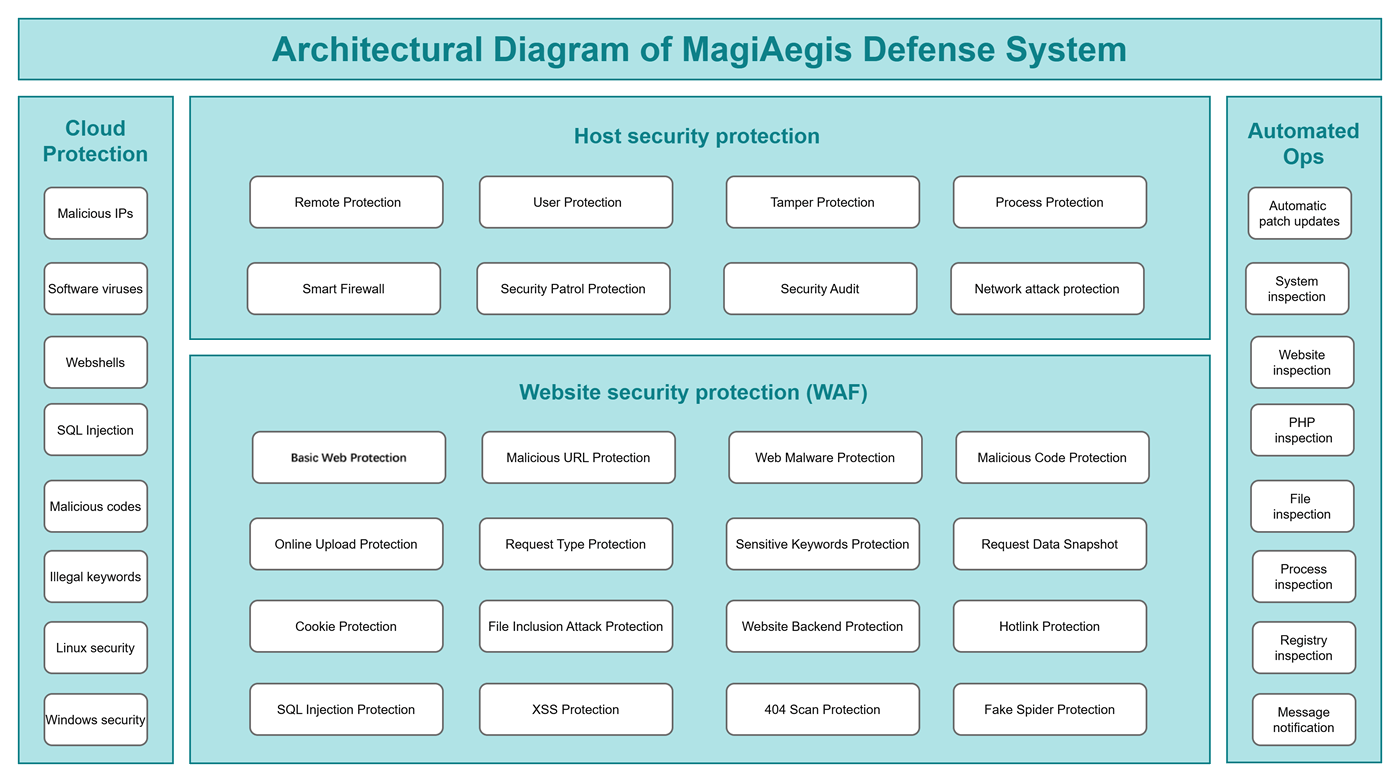
To this end, we need to utilize a new-generation protection software [MagiAegis - Defense System]. This system features a quadruple protection mechanism encompassing "Host Firewall + Web Application Firewall + Cloud Security Protection + Automated Ops" providing a one-stop solution to all security threats.
Firstly, through tamper-proof technology, each file on the website is reinforced with fine-grained protection to prevent hackers from tampering with files or uploading Webshells. Subsequently, by employing a Web Application Firewall (WAF), every access request is authenticated to intercept SQL injection attacks and XSS (Cross-Site Scripting) attacks. Additionally, zero-trust protection is implemented for the website's backend, restricting unauthorized users from accessing it.
Step 1: Install the Defense System
Step 2: Add Protection Policies
To this end, we need to utilize a new-generation protection software [MagiAegis - Defense System]. This system features a quadruple protection mechanism encompassing "Host Firewall + Web Application Firewall + Cloud Security Protection + Automated Ops" providing a one-stop solution to all security threats.
Firstly, through tamper-proof technology, each file on the website is reinforced with fine-grained protection to prevent hackers from tampering with files or uploading Webshells. Subsequently, by employing a Web Application Firewall (WAF), every access request is authenticated to intercept SQL injection attacks and XSS (Cross-Site Scripting) attacks. Additionally, zero-trust protection is implemented for the website's backend, restricting unauthorized users from accessing it.
Step 1: Install the Defense System
For installation instructions, please click here. After installation, please enable the "WAF" module.
Step 2: Add Protection Policies
[MagiAegis - Defense System] has built-in security protection rules for most CMS platforms. Please navigate to "Tamper Protection - Add CMS Protection", fill in the "Web Directory and Admin Path", select the "ECShop Anti-tampering Rule", and you can immediately activate protection without any side effects.
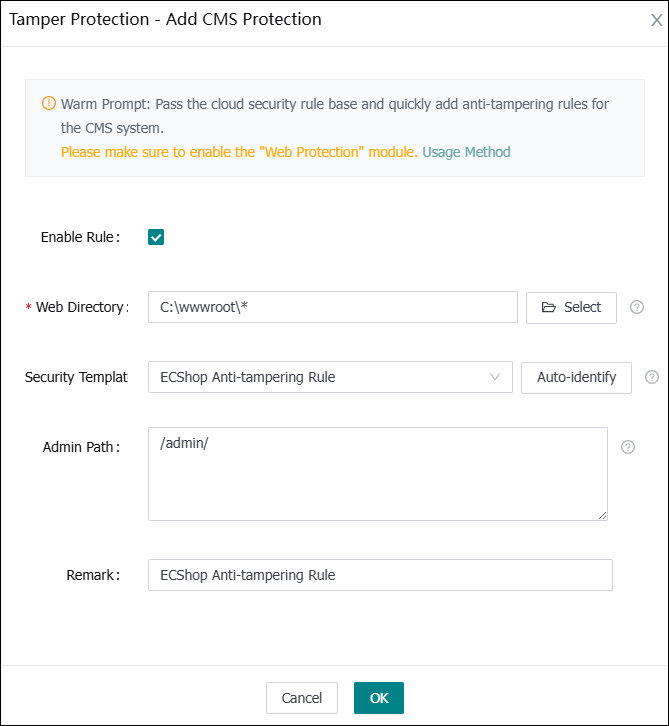
Congratulations! The configuration of the protection rules is complete.
When accessing the website backend at this point, password verification will be required.
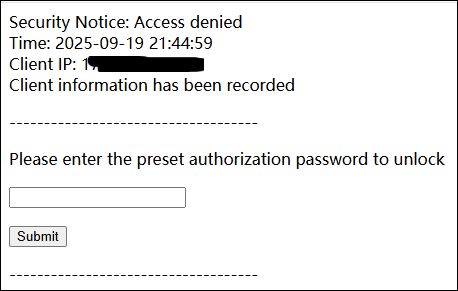
Enter the authorization password you set previously, and you will be granted access.
Congratulations! The configuration of the protection rules is complete.
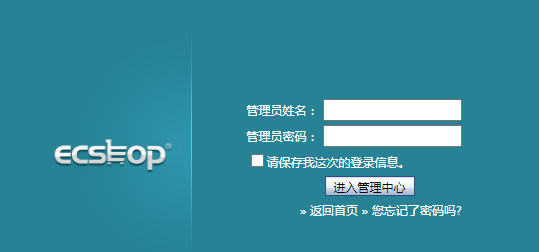
When accessing the website backend at this point, password verification will be required.
Enter the authorization password you set previously, and you will be granted access.
The above are the methods for securing your ECShop site. No code modifications are required; you can resolve the issues with just a few mouse clicks. Isn't it incredibly simple?
Next, you can also utilize the [MagiAegis Defense System] to implement additional security protections for your server. For configuration instructions, please click here: https://www.magiaegis.com/supports/defense/104.html